






The Skills
The Brief
Landscaping

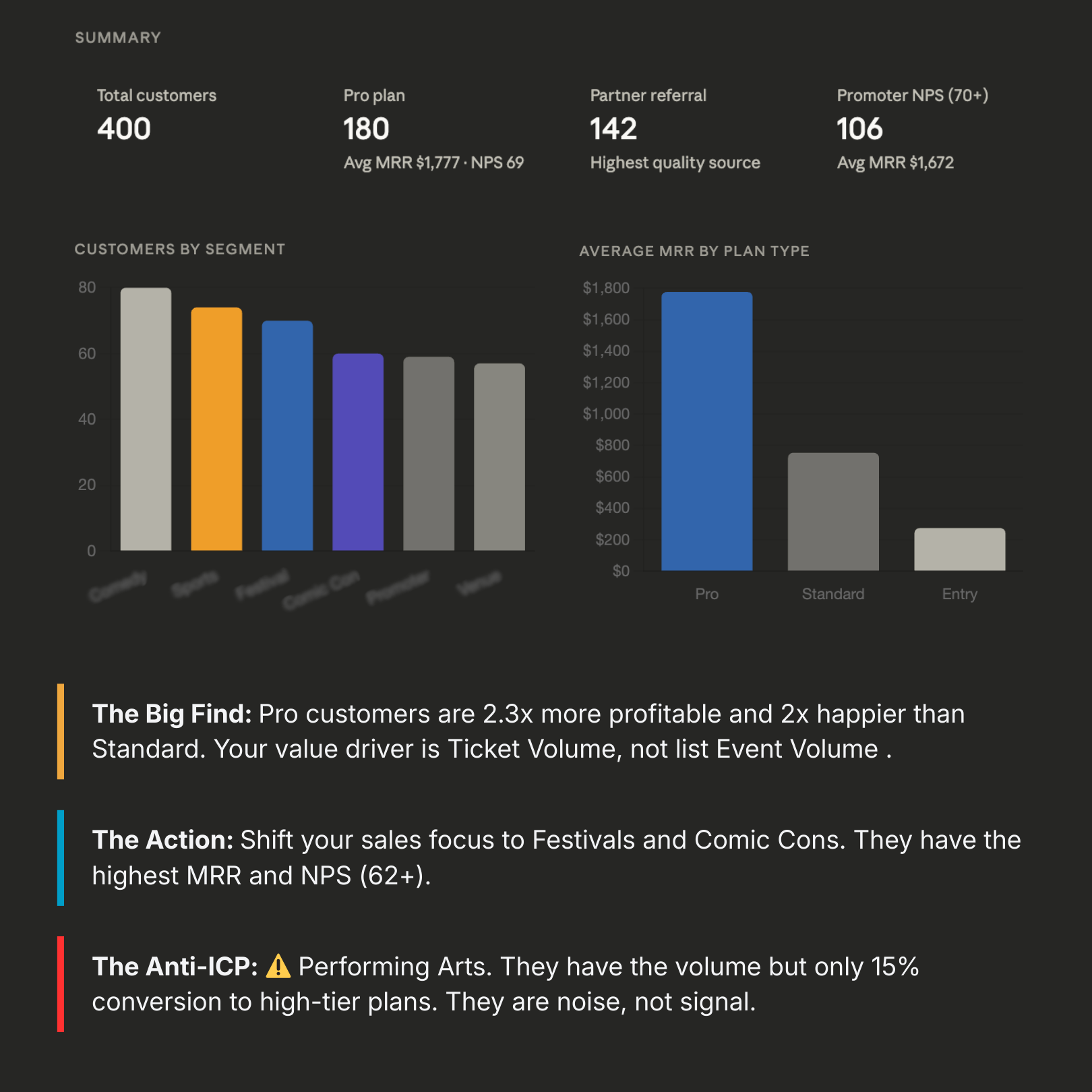
Who's Buying?
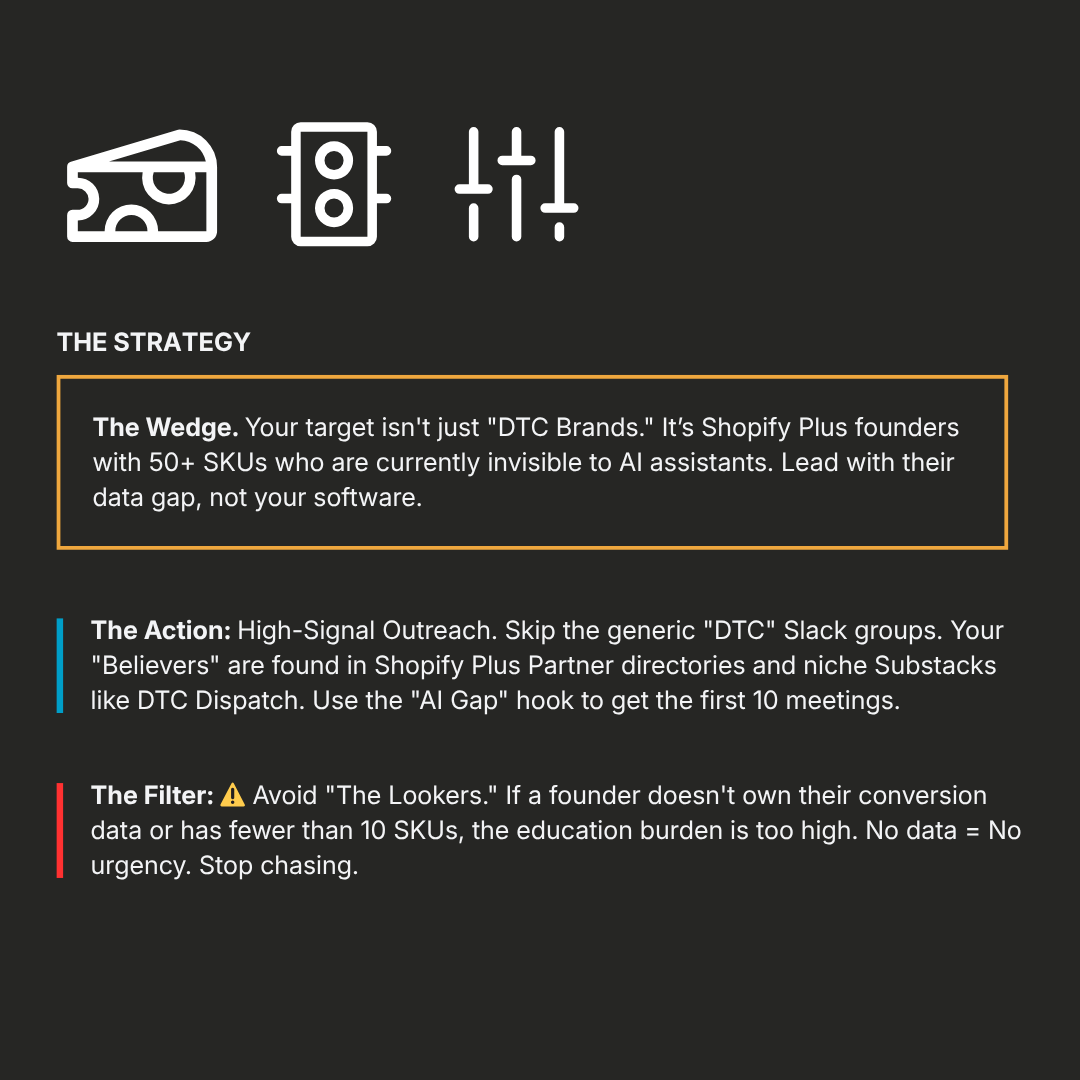
First Believers
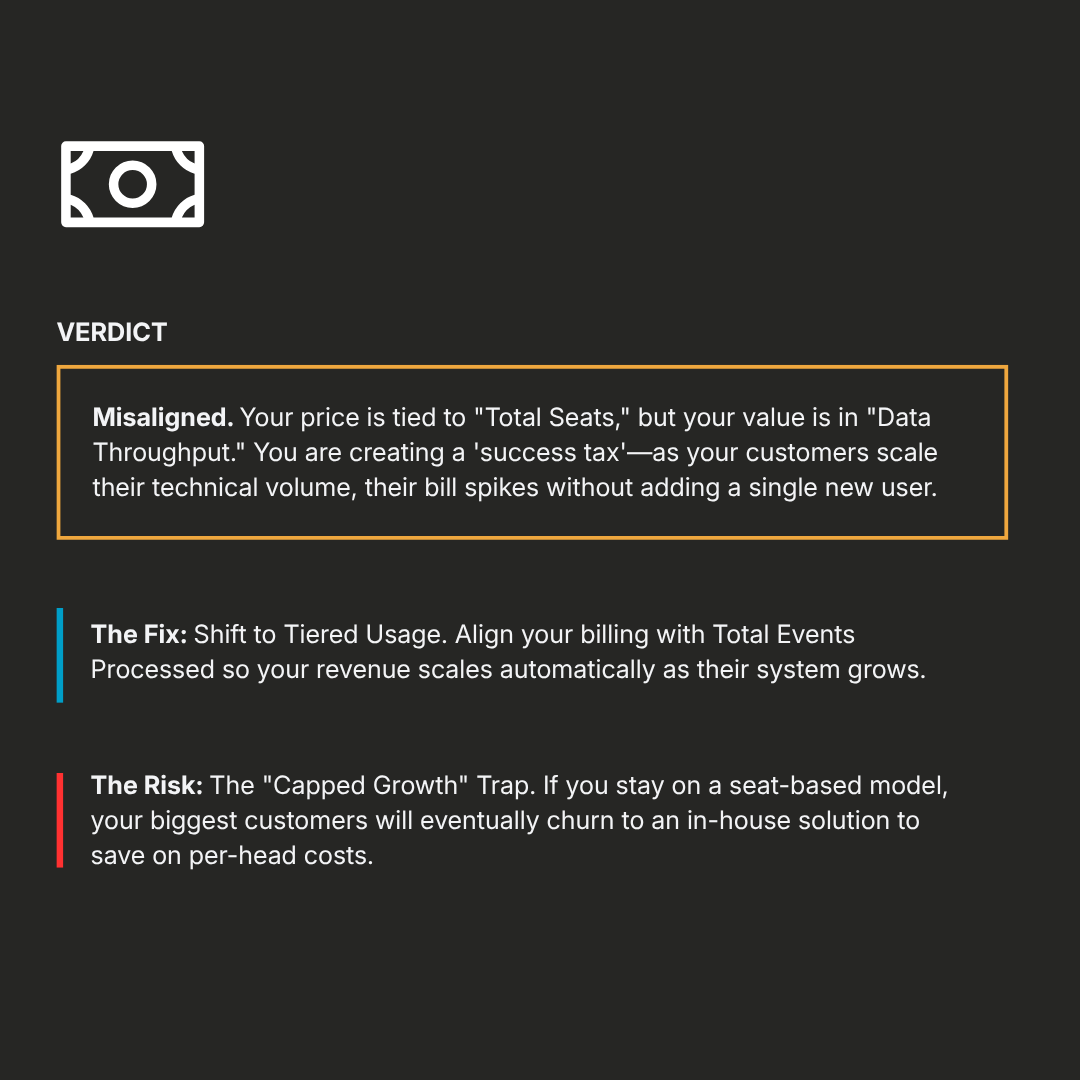
Price Check
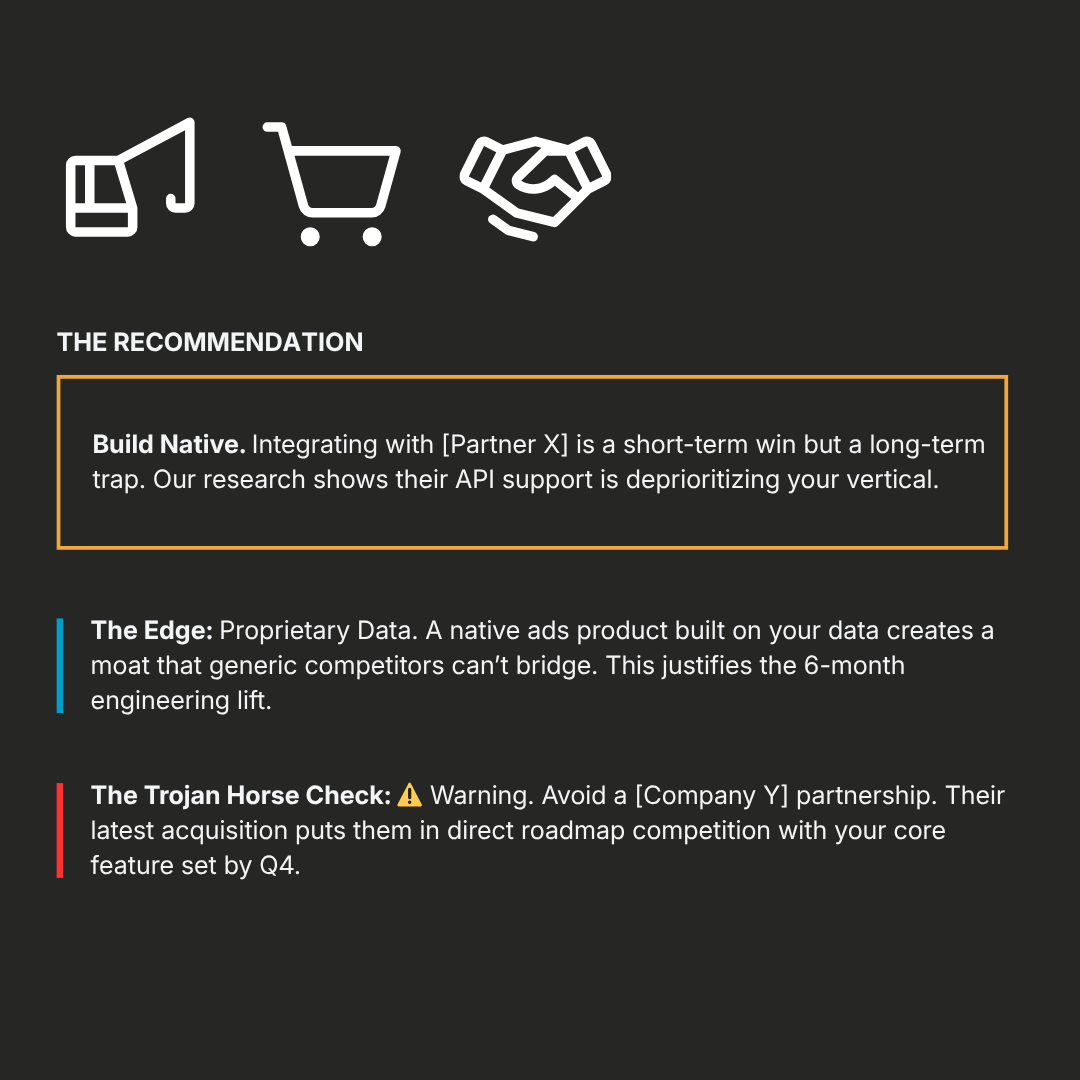
Opportunity Knocking
Connect to Claude
1. Open Claude on the web or desktop
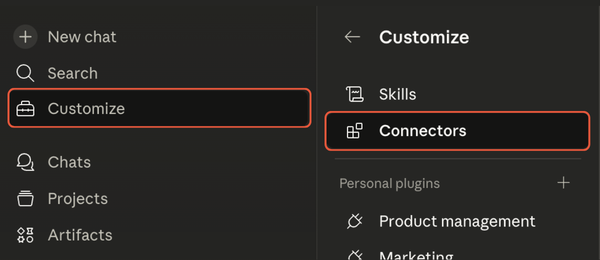
2. Open your Connectors settings
On claude.ai, go to Settings → Connectors. In the desktop app, click Customize in the upper right, then select Connectors.
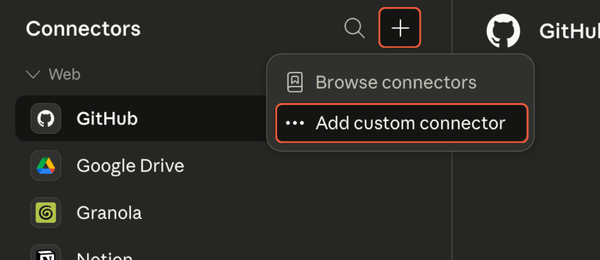
3. Click the + and select Add custom connector
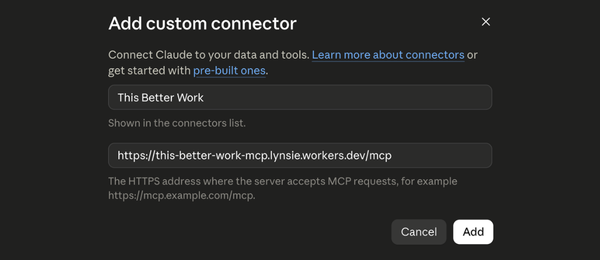
4. Add This Better Work
Name it This Better Work and add this connector URL:
https://this-better-work-mcp.lynsie.workers.dev/mcp
Click Add and you're connected!
5. Create a Project
Projects → New Project
You'll run all of the skills in this project.
Not required, but highly recommended.
6. Optional: Connect HubSpot
Customize → Connectors → Browse Connectors
If you use HubSpot, the Who's Buying skill can pull your customer data directly — no export needed.
Run the Skills
1. The Brief
Sets up your company profile — what you build, who you serve, how you compete, and where you are in the journey. Every other skill loads this context automatically.
Say to Claude: "Run The Brief"
2. Who's Buying
Finds the pattern across your actual customers — who your best ones are, what they have in common, and who you should stop pursuing. Not sure you have enough customers for it? Just run it — it knows its own threshold and will point you to First Believers if you're not there yet.
If you're connected to HubSpot, it pulls your data automatically. Otherwise have a customer export ready to upload.
For best results, include as much customer data as possible, including:
- Industry or vertical
- Plan or tier level
- MRR or contract value
- NPS or satisfaction score
- Company size
- Acquisition source
- Churn status (churned vs. active)
The more of these you have, the sharper the output. At minimum, plan level and some form of revenue data will tell a different story than customer count alone.
And FYI: Your data stays in your conversation. I won't be able to access it.
Say to Claude: "Run Who's Buying"
3. Landscaping
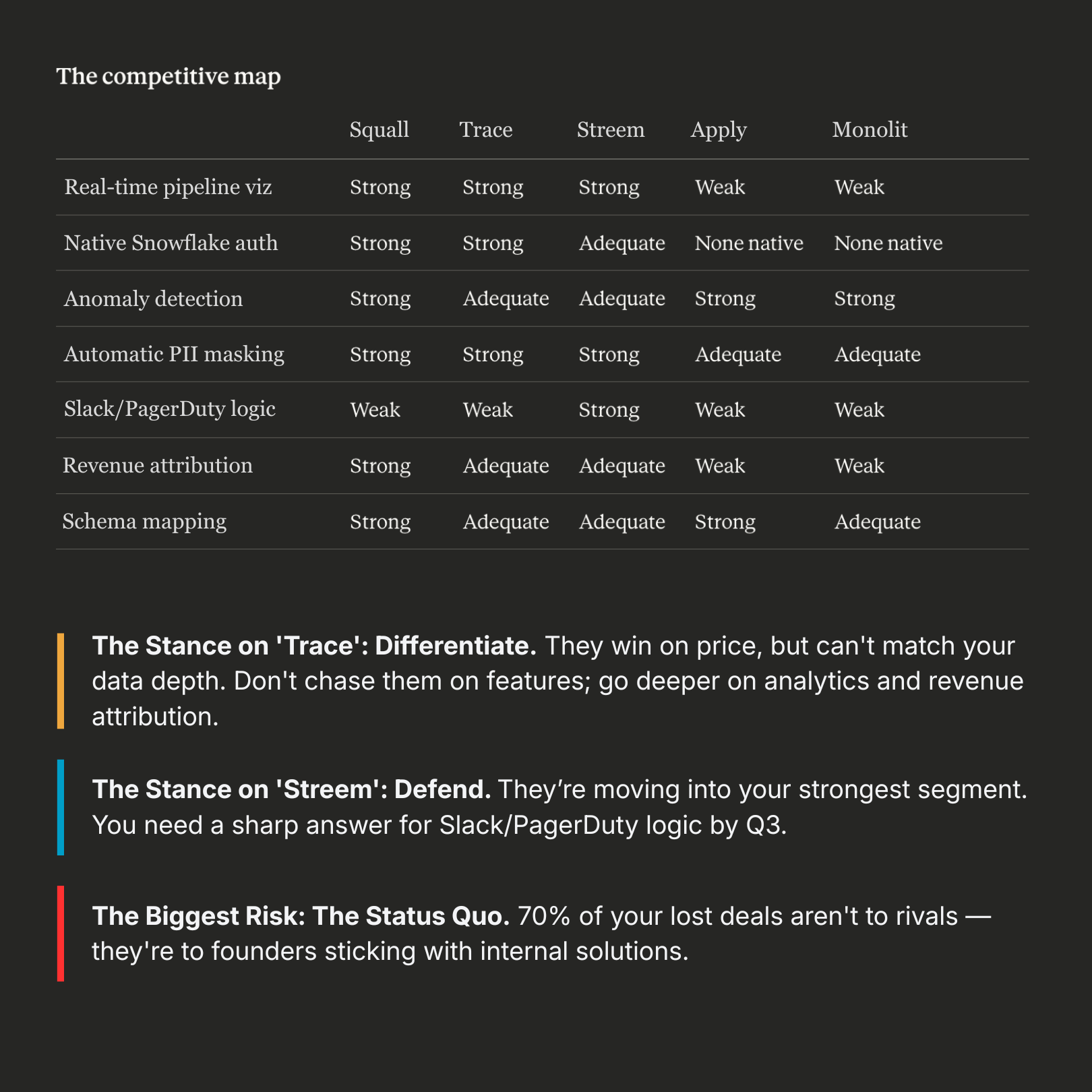
Maps your competitive landscape with a clear stance on each player — defend, differentiate, ignore, or monitor.
Say to Claude: "Run Landscaping"
4. Price Check
Stress-tests your pricing against your stage, ICP, and GTM motion. Tells you whether your pricing is working for you or against you.
Say to Claude: "Run Price Check"
5. Opportunity Knocking
Evaluates a specific build, buy, or partner decision before engineering starts — including a check for whether it's actually strategic or just a distraction.
Say to Claude: "Run Opportunity Knocking"
1. The Brief
Sets up your company profile — what you build, who you serve, how you compete, and where you are in the journey. Every other skill loads this context automatically.
Say to Claude: "Run The Brief"
2. Landscaping
Maps your competitive landscape with a clear stance on each player — defend, differentiate, ignore, or monitor.
Say to Claude: "Run Landscaping"
3. First Believers
Builds an ICP hypothesis before you have enough customers to find a pattern. Helps you figure out who to go after first.
Say to Claude: "Run First Believers"
4. Price Check
Stress-tests your pricing against your stage, ICP, and GTM motion. Tells you whether your pricing is working for you or against you.
Say to Claude: "Run Price Check"
5. Opportunity Knocking
Evaluates a specific build, buy, or partner decision before engineering starts — including a check for whether it's actually strategic or just a distraction.
Say to Claude: "Run Opportunity Knocking"

Step 3: Go crush it
If you want to dig deeper or turn any of this into a real GTM plan, let's talk.